


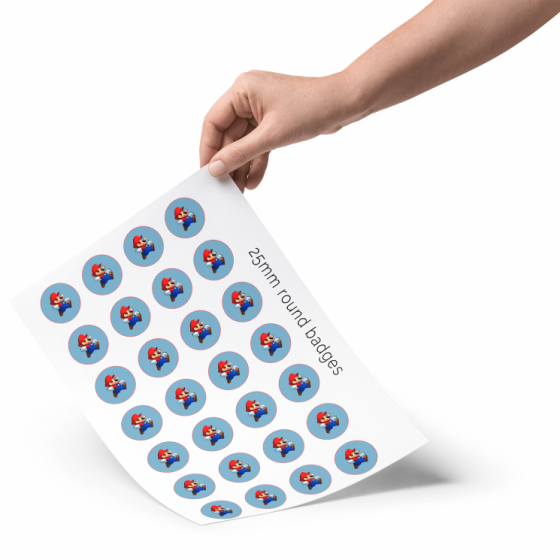
Motif Designer for Standard Round Sizes
Design and print A4 sheets for standard badge machines. The designer is free to use, and you don't need to log in. You can create designs for badge sizes 25mm, 32mm, 38mm, 44mm, 56mm, and 76mm.
Here's how the designer works:
- Select a size, for example, 56mm
- then click on the yellow design button
- When you're ready, click My design is ready
- You're now back again, and the Download A4 button now glows green. Click on it to save or print your design.
The designer removes extra motif so you won't smudge your machine and sets a clear red cutting circle from which you can cut out your designs.
NOTE: Your design is not saved, so remember to save the file locally.
! Changing the size deletes previous designs.
Tack för din förfrågan
Tack för mail. Vi återkommer snart (max 48 timmar) med ett bra erbjudande.

Motif Designer for Standard Round Sizes
Our Online Design Printer is currently in BETA mode, which means it's a free feature for now. Please do let us know if you encounter any errors, so we can make it even better.
For questions and suggestions for improvements: info@badgeland.dk Please mark your email "Graphic A4 print suggestions"
Here, you can design your very own motif so you have a finished design ready to punch out and put in your badge machine.
Create designs for your badges and magnets that fit perfectly into your badge machine. Sit back and comfortably combine images, text, and cliparts into beautiful motifs ready to print and use in badge machines.
You can download print-ready A4 sheets with your designs spread out across the sheet with multiple of the same motif.
Read more about how to use our online motif printer.
Snabbinfo
- Design Online
- Print from the Website
- Save for Later